Version 3.14.0

(1) 📊 Meet Radar: a new centralized area for critical items
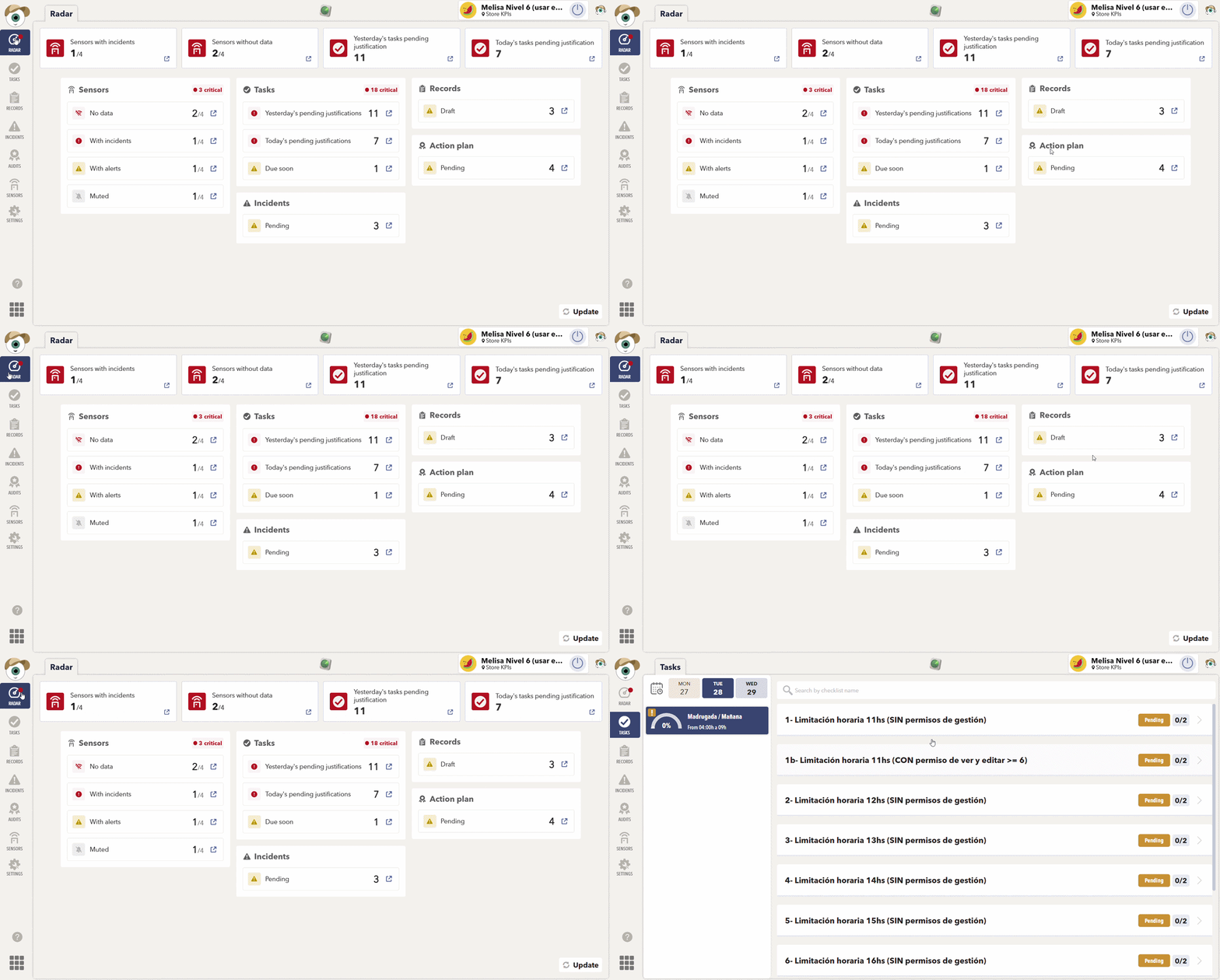
Radar is a new centralized area that brings together all critical operational items across your enabled tools, helping you identify and resolve what needs attention faster.
Instead of checking each tool individually, you can now see your most important pending items in one place and jump directly to the relevant screen to take action.
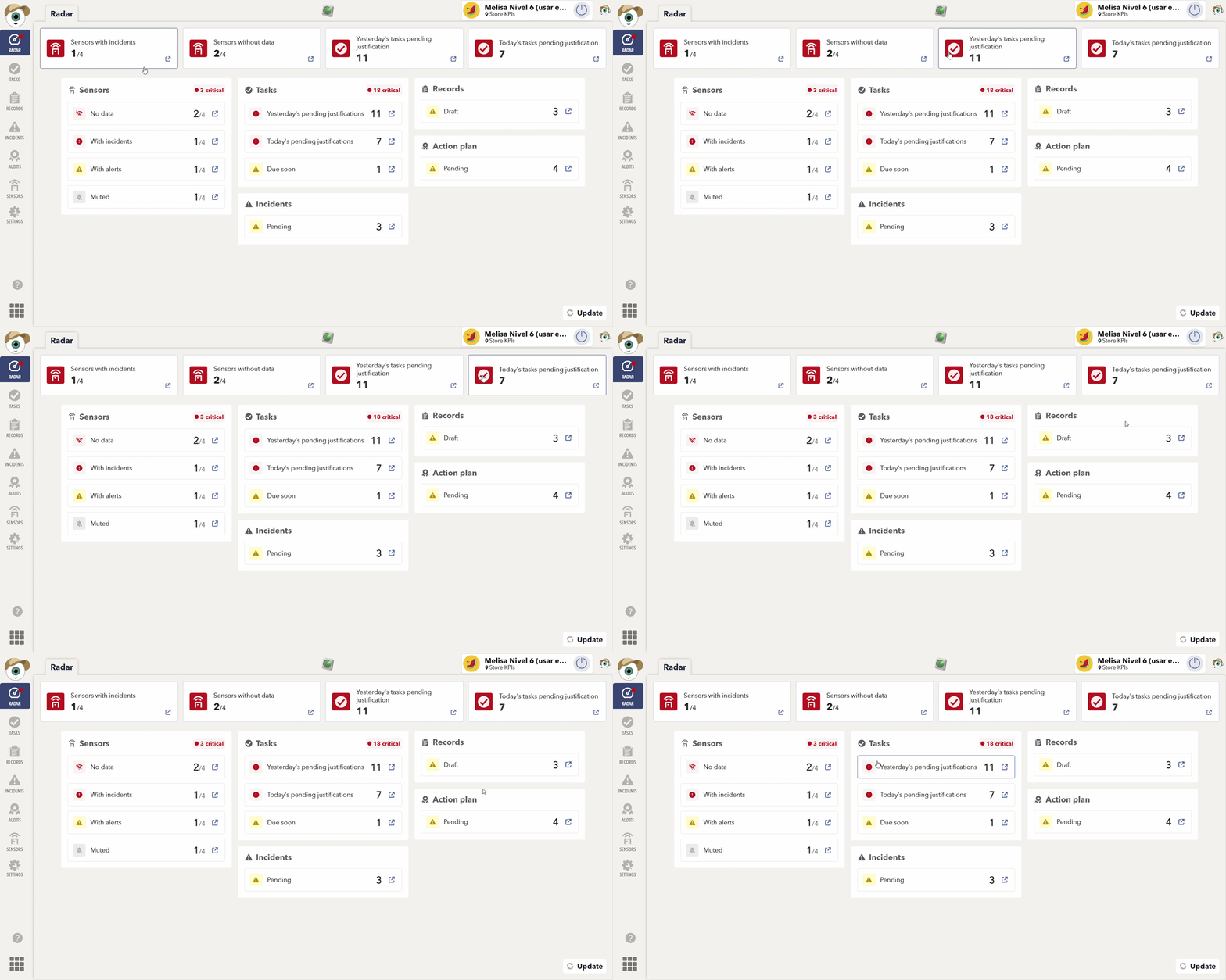
Radar is divided into two main sections:
🚨 Critical KPIs
The KPI section highlights the most critical items that require immediate attention across all your tools.
If no KPI cards are displayed, you're all set! There are currently no critical issues that need your attention.
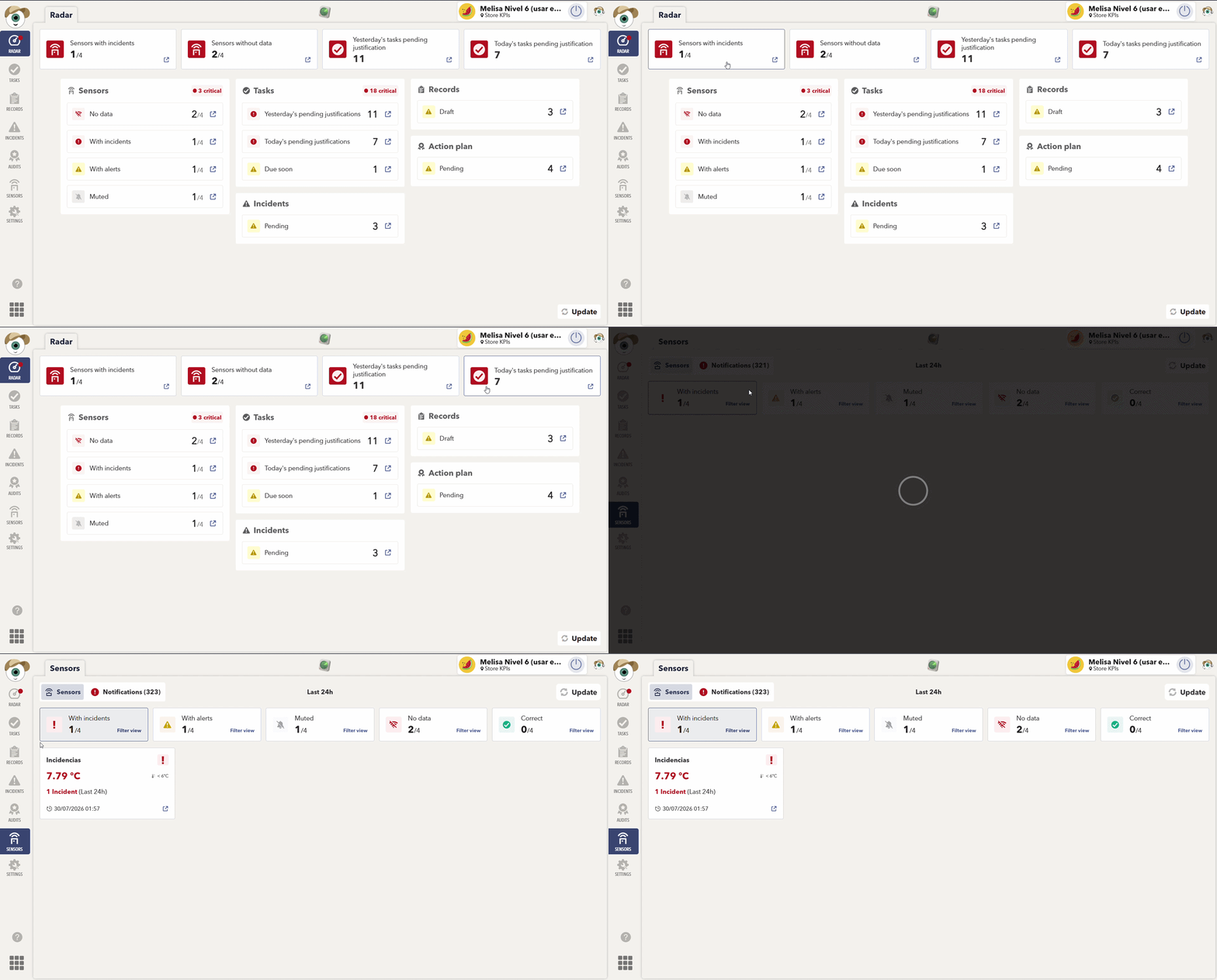
📋 Tool Modules
Below the KPIs, Radar organizes pending items by tool, giving you a clearer overview of your operations.
Each module includes:
🔴 Critical items: which require immediate action.
🟡 Alerts: which should be reviewed soon but are less urgent.
Tap any indicator to open the corresponding tool and resolve the issue directly.
📈 Improvements Across Other Tools
Alongside Radar, we've added new indicators to help you identify important pending items more easily.
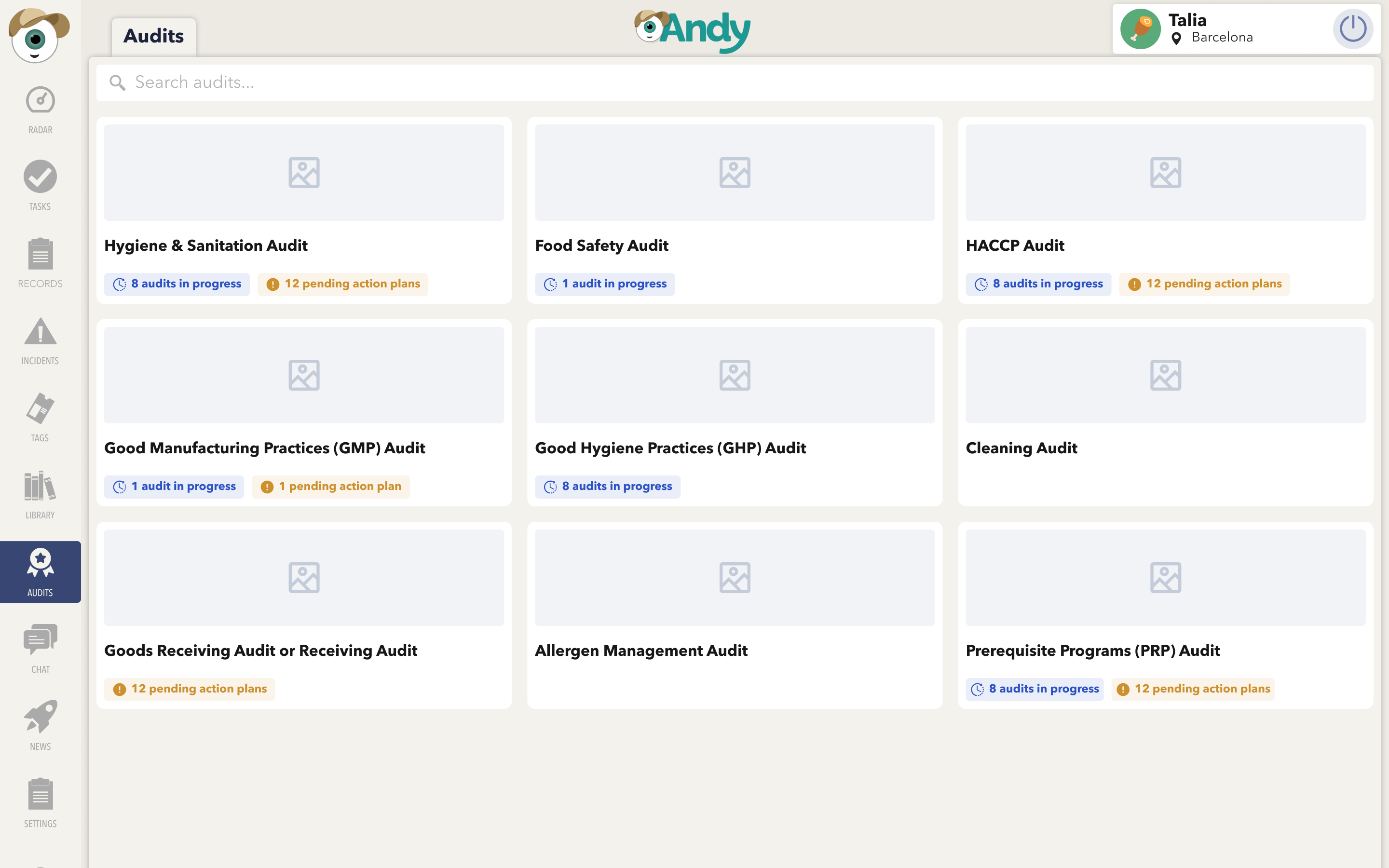
📑 Audits
You can now quickly see which audits have pending Action Plans.
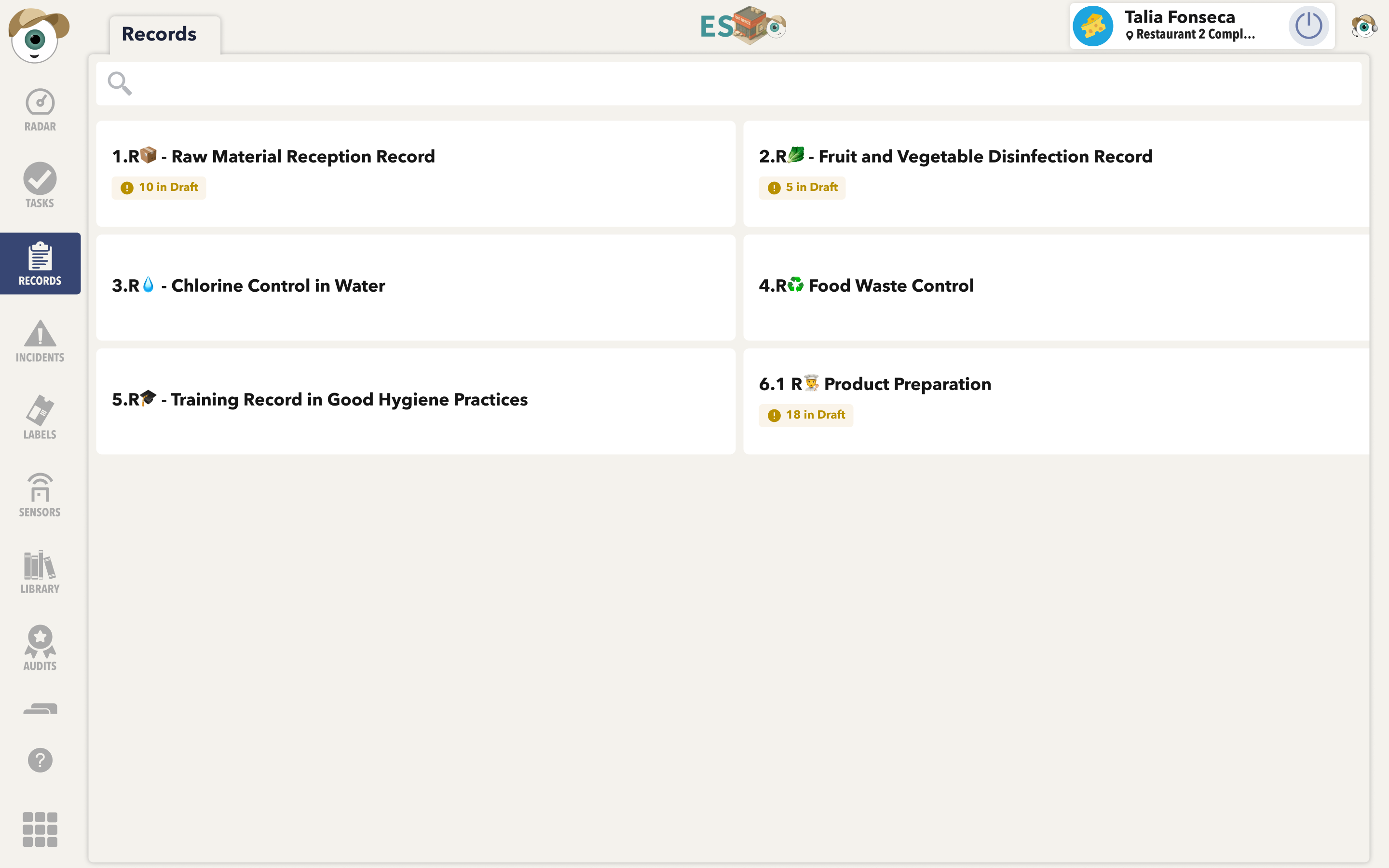
📝 Registers
A new indicator shows how many registers are currently saved as Drafts.
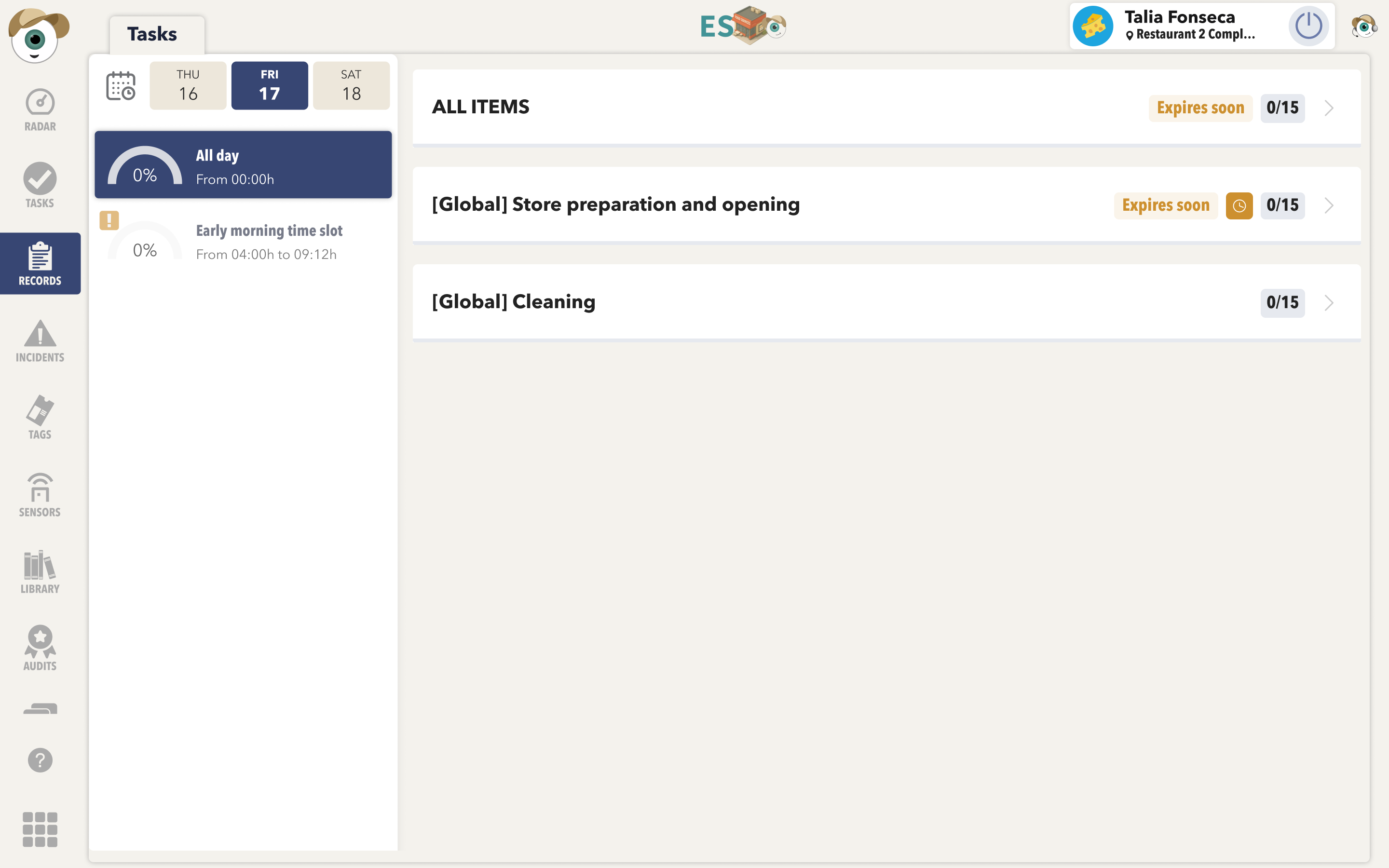
✅ Checklists
You can now identify checklist tasks that are about to expire, helping you complete them before their due date.
APP
(2) 🔎 Traceability improvements
Traceability has been improved to make it easier to navigate, search, and review information across the app.
📦 New product card
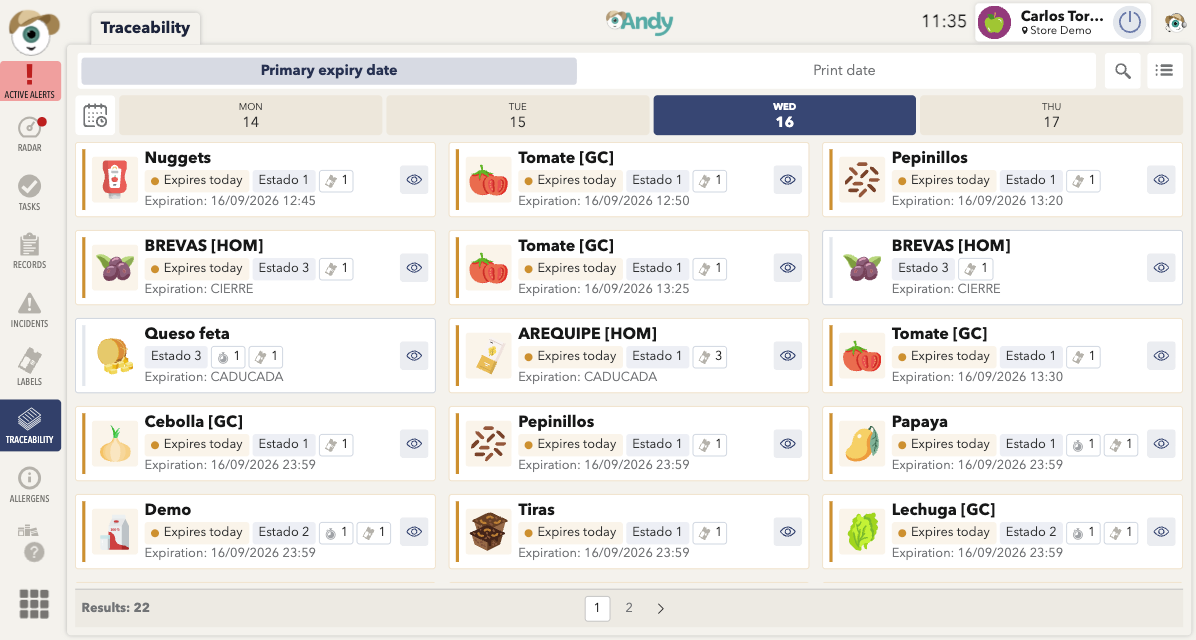
Traceability now features a redesigned product card that makes key information easier to identify and review at a glance. The updated layout provides a clearer overview of each product and its traceability details.
🔄 Switch between visualisations
Traceability now lets you switch between different visualisation options, making it easier to view and review information according to your needs.
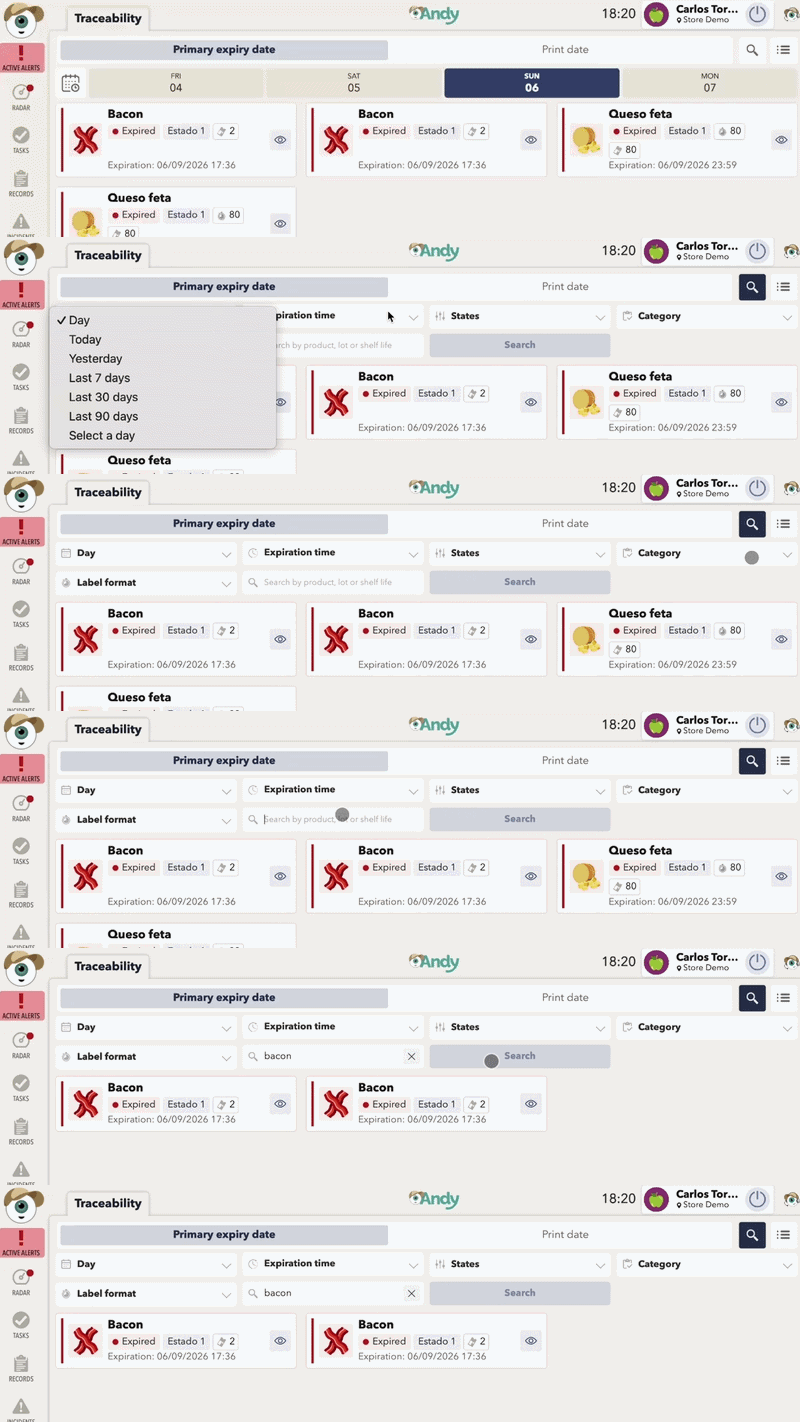
🔍 Improved filters
You can now use filters to narrow down Traceability information and quickly find the products or records you need. Select criteria such as the date, expiration time, states, and category (etc.) to refine the displayed information.
📄 Pagination
Pagination has been added to Traceability to make it easier to navigate through large amounts of information. You can move between pages to quickly review additional traceability records.

APP