Changelog

Follow new updates and improvements to Andyapp.

3.12.0

Template Updates: redesign and conditions up to 3 levels

We’ve redesigned the Templates tool to make it more powerful, flexible, and easier to use.

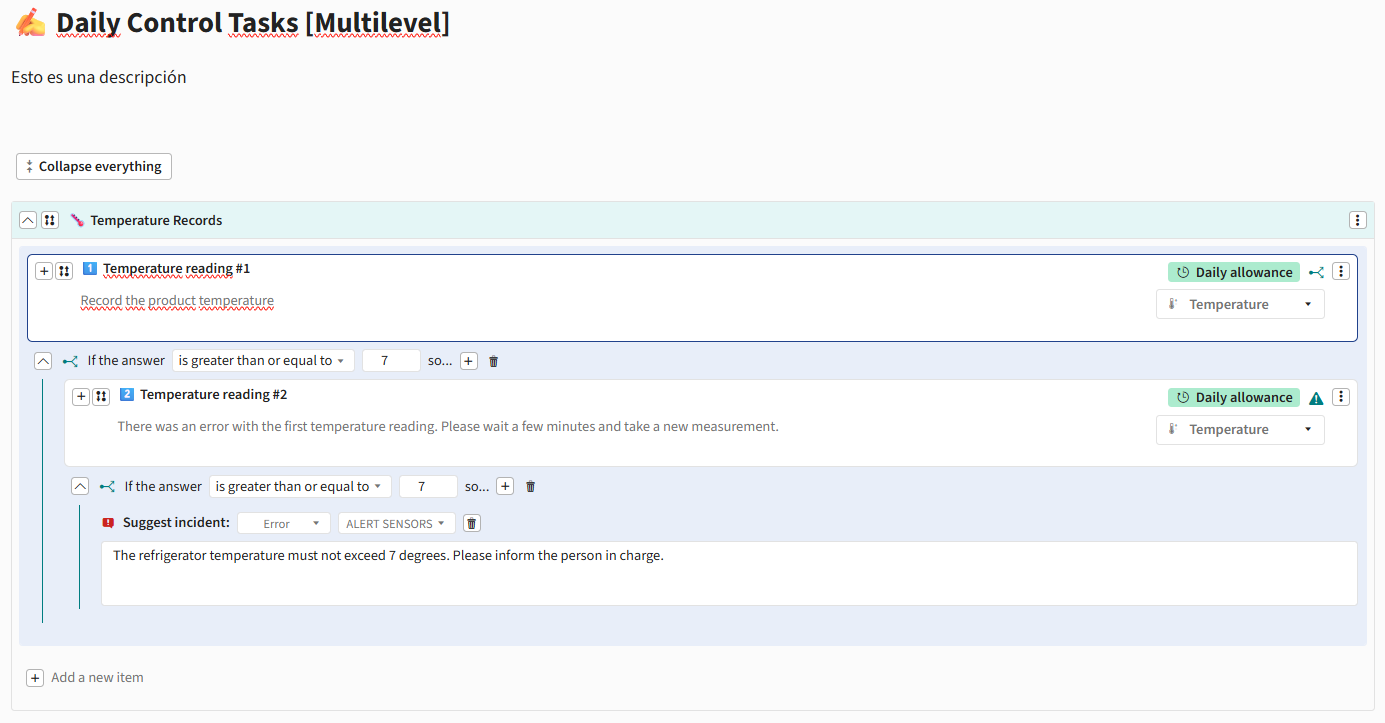
You can now create structures with up to three levels (item > subitem > sub-subitem) and add conditions to subitems, allowing you to build more advanced workflows without losing clarity.
✨ New capabilities

  • Support for up to 3 levels in Template structures:

    • Items

    • Subitems

    • Sub-subitems

  • Conditions are now also available in subitems

  • Ability to create dynamic workflows by displaying elements based on selected answers

  • New, more agile and intuitive flow for adding elements

  • “Collapse all” button to improve navigation in large Templates

⚙️ Configuration and behavior

  • Subitems automatically inherit part of the parent item configuration

  • Settings such as periodicity are automatically applied to associated subitems

  • Validations to ensure compatible structures and prevent unsupported configurations

  • Automatic restrictions for item types that do not support subitems

  • Validation of active tools before allowing links or associations

🎨 Design and user experience improvements

  • Redesigned forms for:

    • Alerts

    • Incidents

    • Action plans

    • Notifications

  • Improved creation and editing of items and sections

  • Visual adjustments in Control Panel, App, and reports

  • Clearer and more organized navigation in complex structures

  • Improved management of large Templates through section collapsing

CONTROL PANEL

APP

3.11.0

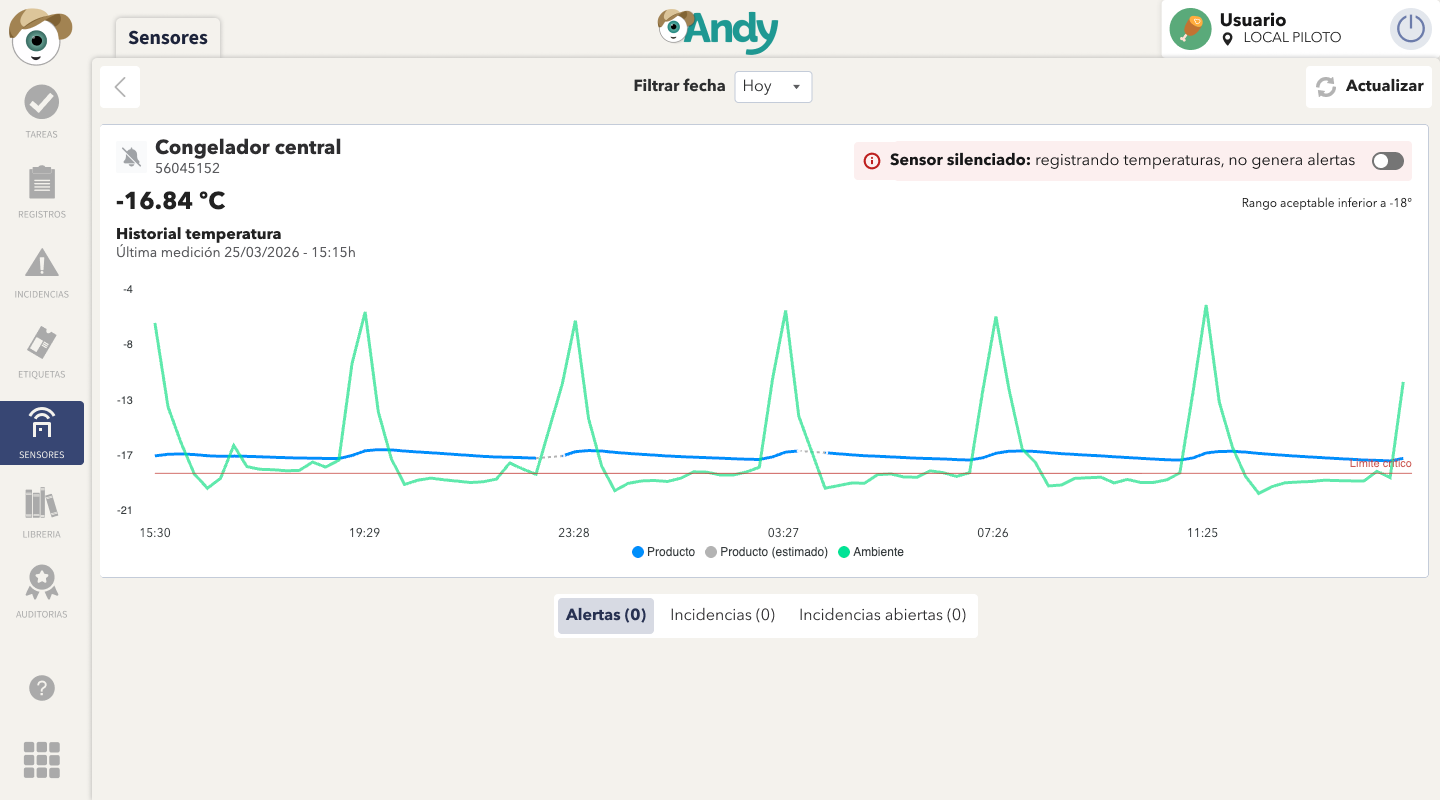
(1) Improved chart visualization

The chart has been enhanced by adding a dashed line (- - - -) to indicate periods where no real measurements are available and the displayed value is an approximation.

Additionally, the chart legend now clearly shows product temperature, estimated value (in grey), ambient temperature

APP

CP

Improvements based on your feedback

KPI clarity has been improved by renaming “Alerts” and “Incidents” to “With alerts” and “With incidents”, enabling a more direct and intuitive interpretation of the displayed data.

The notifications counter has also been updated to show the total number of alerts and incidents, rather than the number of affected sensors.

APP

CSV Report Downloads

You can now download reports in CSV format directly from the Control Panel

CP

Pagination in sensor details

Navigate between sensors directly from the detail view using the new previous and next controls, without leaving the page.

Version 3.9.0

Sensor Card Overview

Refined the data presentation in the Sensors view for better usability

📊 New KPI View on the Home Screen

When opening the app, you will now see the KPI view directly on the Home screen.
This view allows you to monitor and manage your sensors at a glance, giving you quick access to the most relevant information.

APP

🕒 Sensor Power-Off History

A new power-off history log is now available for each sensor.
This log can be accessed from both the Control Panel and the App, making it easier to track events and identify potential issues.

Additionally, the terminology has been updated: sensors previously labeled as "powered off" are now referred to as "muted".

APP

Control Panel

Earlier updates