Changelog

Follow new updates and improvements to Andyapp.

Version 3.1.45

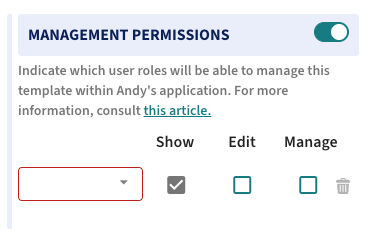
(1) New Permission in Records: Management 📄

In the Control Panel, a new management permission has been added in the records configuration. This allows certain roles to reopen a previously completed record and delete it.
CONTROL PANEL

In the APP, users with roles that include management permissions will see the "Reopen" and "Delete" options for closed records.

APP

(2) UX Improvement: Control Panel View Optimized for Mobile Devices 📲

We continue improving the Control Panel to ensure that tools are accessible and the user experience is optimized on mobile devices.

(3) New Feature: Action Plan ✅

Now, from the Audits tool, it is possible to manage "Non-conformities" directly with Andy, visualizing them and easily tracking them through the Action Plan, available in both the CP and the APP. This allows customers to efficiently manage non-conformities and configure Action Plan templates from the Control Panel.

CONTROL PANEL

APP

(4) Fixed: Bugs with custom issue titles ⚠️

The bugs have been fixed and the template name now displays correctly in the table and report.

CONTROL PANEL

Version 3.1.43

(1) New feature: Issue custom title ⚠️

In the app, we will be able to see as the title the response of items of type text, selector, numeric, and temperature that are configured for their response to be the issue title.

In this example, the incident template configuration 'Raw Material Receipt Incident' has the 'Product' item assigned as a text type and the 'Temperature' item designated as the "Issue title". When creating an incident in the app, the responses to these items will appear as the title of the incident.

APP

(2) Fixed: Character limit for text-type items 🔠

The character limit for text-type items has been activated based on whether it is long text or short text.

APP

Version 3.1.42

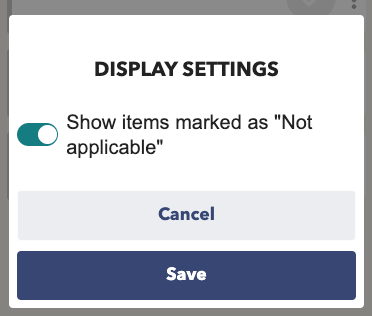
(1) New Feature: Show/Hide items marked as “N/A” 👁️

New option to Show/Hide items marked as "Not Applicable" in all tools. You will find it in the three-dot context menu under "Settings." In the mobile version of the task tool, you will find it at the end of the checklist.

APP

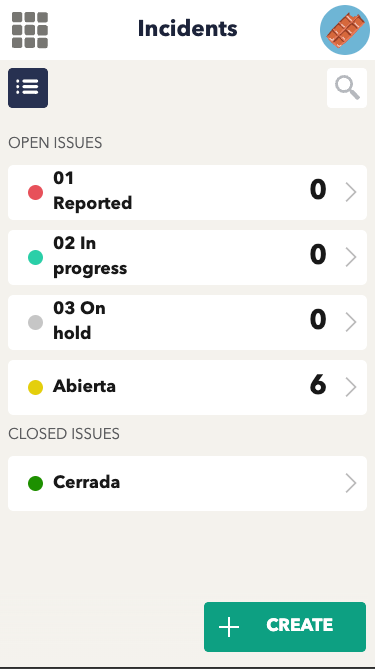
(2) Sort issue states by title in ascending order ⬆️

Now, issue states are displayed in ascending (alphanumeric) order.

APP

(3) Fixed: Library quality resource 🔎

Fixed the issue with the resolution of library resources, resulting in improved quality. Library resources now display with enhanced clarity and detail.

APP

Earlier updates